Reference Code Payment
In this page, you will learn how to generate reference code for your clients through the Reference Code API in a few steps:
- Collect your client's payment Information.
- Trigger OPay Reference Code payment API with your collected information.
- Opay will respond with the reference code.
Collect your Client's Payment Information
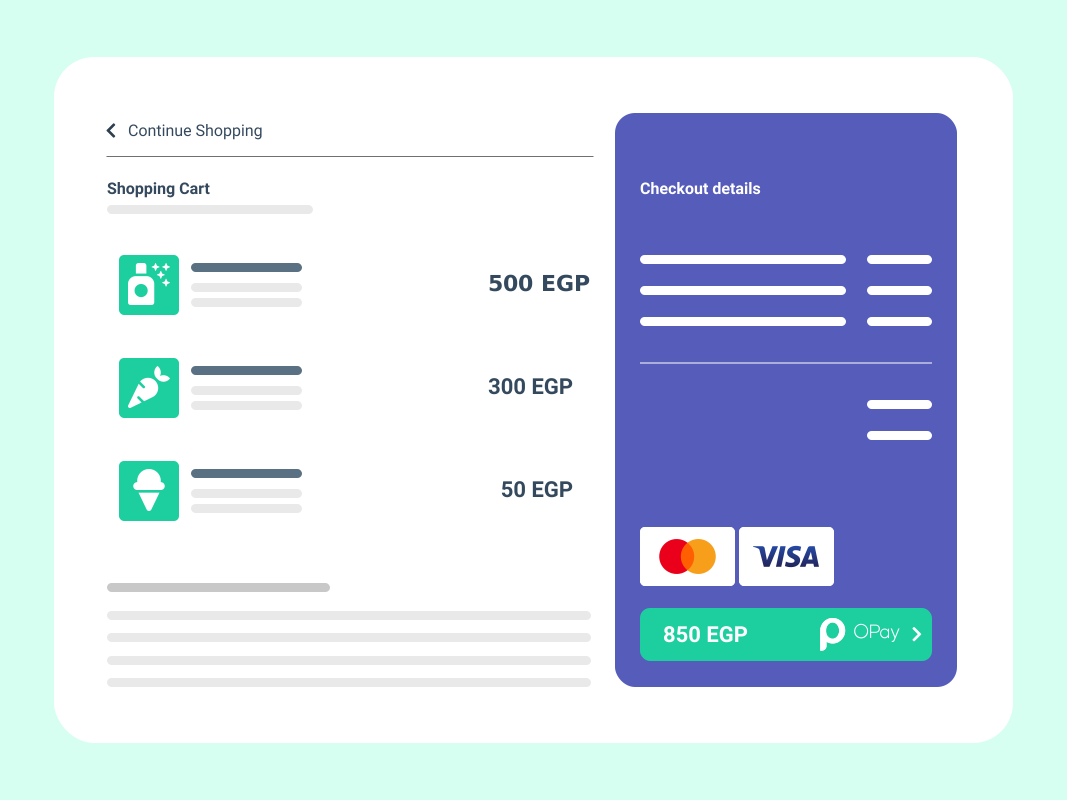
Once your client's Payment information is ready, you will need to trigger the reference code API with the collected information. This form should collect:
- Product Information:
- Name
- Description
- Preferred Payment Method
- Client Information:
- User Name
- User Email
- User Mobile
- Language
Create Reference Code Payment
To test your Reference Code Payment, you need to request using the POST method in our sandbox environment.
-Here is the request URL:
https://sandboxapi.opaycheckout.com/api/v1/international/payment/create-Once you have a fully tested payment flow and you are ready for production, use the following production API endpoint URL instead
https://api.opaycheckout.com/api/v1/international/payment/create-Request Parameters:
- Header: Authorization(API Calls Signature), MerchantId
- Json object containing the transaction information:
Authorization    : Bearer {signature}
MerchantId : 256612345678901{
"amount": {
"currency": "EGP",
"total": 500
},
"callbackUrl": "https://your-call-back-url.com",
"country": "EG",
"expireAt": 300,
"merchantName": "beijing EGP",
"notify": {
"notifyLanguage": "English",
"notifyMethod":"EMAIL",
"notifyUserEmail": "[email protected]",
"notifyUserMobile": "+201088889999",
"notifyUserName": "David"
},
"payMethod": "ReferenceCode",
"product": {
"description": "description",
"name": "name"
},
"reference": "4567898765678"
}HTTP POST Parameters
-Here is a detailed description for the parameters you need to complete the POST request:
-An example of Reference Code payment request for an amount of 400 EGP is as follows :
class ReferenceCodeController
{
    private $secretkey;
    private $merchantId;
    private $url;

    public function __construct() {
        $this->merchantId = '281821110129700';
        $this->secretkey = 'OPAYPRV*******0187828';
        $this->url = 'https://sandboxapi.opaycheckout.com/api/v1/international/payment/create';
    }

    public function test(){
        $data = [
            'amount' => [
                'currency' => 'EGP',
                'total' => 500
            ],
            'callbackUrl' => 'https://your-call-back-url.com',
            'country' => 'EG',
            'expireAt' => 300,
            'merchantName' => 'beijing EGP',
            'notify' => [
                'notifyLanguage' => 'English',
                'notifyMethod' => 'EMAIL',
                'notifyUserEmail' => '[email protected]',
                'notifyUserMobile' => '121312312xxx',
                'notifyUserName' => 'your customer name '
            ],
            'payMethod' => 'ReferenceCode',
            'product' => [
                'description' => 'description',
                'name' => 'name'
            ],
            'reference' => '041233981115'
        ];
        $data2 = (string) json_encode($data,JSON_UNESCAPED_SLASHES);
        $auth = $this->auth($data2);
        $header = ['Content-Type:application/json', 'Authorization:Bearer '. $auth, 'MerchantId:'.$this->merchantId];
        $response = $this->http_post($this->url, $header, json_encode($data));
        $result = $response?$response:null;
        return $result;
    }

    private function http_post ($url, $header, $data) {
        if (!function_exists('curl_init')) {
            throw new Exception('php not found curl', 500);
        }
        $ch = curl_init();
        curl_setopt($ch, CURLOPT_TIMEOUT, 60);
        curl_setopt($ch, CURLOPT_URL, $url);
        curl_setopt($ch, CURLOPT_SSL_VERIFYPEER, false);
        curl_setopt($ch, CURLOPT_SSL_VERIFYHOST, false);
        curl_setopt($ch, CURLOPT_HEADER, false);
        curl_setopt($ch, CURLOPT_RETURNTRANSFER, true);
        curl_setopt($ch, CURLOPT_POST, true);
        curl_setopt($ch, CURLOPT_POSTFIELDS, $data);
        curl_setopt($ch, CURLOPT_HTTPHEADER, $header);
        $response = curl_exec($ch);
        $httpStatusCode = curl_getinfo($ch, CURLINFO_HTTP_CODE);
        $error=curl_error($ch);
        curl_close($ch);
        if (200 != $httpStatusCode) {
            print_r("invalid httpstatus:{$httpStatusCode} ,response:$response,detail_error:" . $error, $httpStatusCode);
        }
        return $response;
    }
    public function auth ( $data ) {
        $secretKey = $this->secretkey;
        $auth = hash_hmac('sha512', $data, $secretKey);
        return $auth;
    }
}
const request = require('request');
var sha512 = require('js-sha512');
const formData = {
"amount": {
"currency": "EGP",
"total": 500
},
"callbackUrl": "https://your-call-back-url.com",
"country": "EG",
"expireAt": 300,
"merchantName": "beijing EGP",
"notify": {
"notifyLanguage": "English",
"notifyMethod":"EMAIL",
"notifyUserEmail": "[email protected]",
"notifyUserMobile": "121312312xxx",
"notifyUserName": "your customer name"
},
"payMethod": "ReferenceCode",
"product": {
"description": "description",
"name": "name"
},
"reference": "4567898765678"
};
var privateKey = "OPAYPRV*******0187828"
var hash = sha512.hmac.create(privateKey);
hash.update(JSON.stringify(formData));
hmacsignature = hash.hex();
console.log(hmacsignature)
request({
url: 'https://sandboxapi.opaycheckout.com/api/v1/international/payment/create',
method: 'POST',
headers: {
'MerchantId': '256621051120756',
'Authorization': 'Bearer '+hmacsignature
},
json: true,
body: formData
}, function (error, response, body) {
console.log('body: ')
console.log(body)
}
)curl --location --request POST 'https://sandboxapi.opaycheckout.com/api/v1/international/payment/create' \
--header 'MerchantId: 256621051120756' \
--header 'Authorization: Bearer 38017496e*******2ab0297d1de8905cb7d85a043d9084254e61a8da6093b6f155550ff51891dca9f9889a' \
--header 'Content-Type: application/json' \
--data-raw '{
"amount": {
"currency": "EGP",
"total": 500
},
"callbackUrl": "https://your-call-back-url.com",
"country": "EG",
"expireAt": 300,
"merchantName": "beijing EGP",
"notify": {
"notifyLanguage": "English",
"notifyMethod":"EMAIL",
"notifyUserEmail": "[email protected]",
"notifyUserMobile": "121312312xxx",
"notifyUserName": "your customer name"
},
"payMethod": "ReferenceCode",
"product": {
"description": "description",
"name": "name"
},
"reference": "4567898765678"
}'import com.google.gson.Gson;
import org.apache.commons.codec.binary.Hex;
import javax.crypto.Mac;
import javax.crypto.spec.SecretKeySpec;
import java.io.BufferedReader;
import java.io.InputStreamReader;
import java.io.OutputStream;
import java.net.HttpURLConnection;
import java.net.URL;
import java.nio.charset.StandardCharsets;
import java.util.TreeMap;
import java.util.UUID;
public class ReferenceCodePayment {
private static final String privateKey = "OPAYPRV*******0187828";
private static final String endpoint = "https://sandboxapi.opaycheckout.com";
private static final String merchantId = "256621051120756";
public static void main(String[] args) throws Exception {
String addr = endpoint + "/api/v1/international/payment/create";
Gson gson = new Gson();
TreeMap order = new TreeMap<>();
TreeMap amount = new TreeMap<>();
amount.put("currency","EGP");
amount.put("total",new Integer(400));
order.put("amount",amount);
TreeMap product = new TreeMap<>();
product.put("name","your product name");
product.put("description","your product description");
order.put("product",product);
order.put("callbackUrl","https://your-call-back-url.com");
order.put("country","EG");
order.put("expireAt",30);
order.put("payMethod","ReferenceCode");
order.put("reference", UUID.randomUUID().toString());
order.put("returnUrl","https://your-return-url.com");
TreeMap notify = new TreeMap<>();
notify.put("notifyLanguage","English");
notify.put("notifyMethod","EMAIL");
notify.put("notifyUserEmail","[email protected]");
notify.put("notifyUserMobile","121312312xxx");
notify.put("notifyUserName","your customer name");
order.put("notify",notify);
String requestBody = gson.toJson(order);
System.out.println("--request:");
System.out.println(requestBody);
String oPaySignature = hmacSHA512(requestBody, privateKey);
System.out.println("--signature:");
System.out.println(oPaySignature);
URL url = new URL(addr);
HttpURLConnection con = (HttpURLConnection)url.openConnection();
con.setRequestMethod("POST");
con.setRequestProperty("Content-Type", "application/json; utf-8");
con.setRequestProperty("Authorization", "Bearer "+oPaySignature);
con.setRequestProperty("MerchantId", merchantId);
con.setDoOutput(true);
OutputStream os = con.getOutputStream();
byte[] input = requestBody.getBytes(StandardCharsets.UTF_8);
os.write(input, 0, input.length);
BufferedReader br = new BufferedReader(new InputStreamReader(con.getInputStream(), StandardCharsets.UTF_8));
StringBuilder response = new StringBuilder();
String responseLine = null;
while ((responseLine = br.readLine()) != null) {
response.append(responseLine.trim());
}
System.out.println("--response:");
System.out.println(response.toString());
//close your stream and connection
}
public static String hmacSHA512(final String data, final String secureKey) throws Exception{
byte[] bytesKey = secureKey.getBytes();
final SecretKeySpec secretKey = new SecretKeySpec(bytesKey, "HmacSHA512");
Mac mac = Mac.getInstance("HmacSHA512");
mac.init(secretKey);
final byte[] macData = mac.doFinal(data.getBytes());
byte[] hex = new Hex().encode(macData);
return new String(hex, StandardCharsets.UTF_8);
}
}Header must contain the "Signature" , "MerchantId"
Signature is calculated using SHA-512 HMAC signed with your Private Key. See API Calls Signature section for more details.
Reference Code Payment Response
-Response Parameters:
the parameters contained in the response received whenever you call the Reference Code payment API as a JSON Object.
{
  "code": "00000",
  "message": "SUCCESSFUL",
  "data": {
    "reference": "1001000",
    "orderNo": "10212100000034000"
    "status":"PENDING",
    "amount":{
        "total":400,
        "currency":"EGP"
    },
    "referenceCode":"674016496"
  }
}
-Here is a detailed description for the parameters received in the response:
| Parameter | type | Description | example | |
|---|---|---|---|---|
| reference | String | reference Id. | 1001000 | |
| orderNo | String | order id. | 10212100000034000 | |
| status | String | Order Status. | Success | |
| amount | ||||
| total | Integer | payment total amount. | 400 | |
| currency | String | currency type. | EGP | |
| referenceCode | String | The Generated Reference Code. | 674016496 | |
Error Handling
After submitting an API call to OPay, you receive a response back to inform you that your request was received and processed. A successful OPay API should return a status code 00, meanwhile, in a situation where any payment processing error occurred, you will receive an error code with a message to describe the reason of the error. A sample error response can be found below.
{
    "code": "20000",
    "message": "Duplicate merchant order number",
    "data": null
}
Depending on the HTTP status code of the response, you should build some logic to handle any errors that a request or the system may return. A list of possible potential error codes that you may receive can be found below. A full list of all possible error codes can be found in the Error Codes section.
| Error Code | Error Message |
|---|---|
| 09 | Time out. |
| 90 | System failure. |
| 91 | Refund error, please try again later. |
| 96 | Search order error, please try again later. |
| 97 | Create checkout session failed. |
| 98 | Invalid request header with requestId. |
| 99 | Request channel parameters are not valid. |
| 20000 | Duplicate merchant order number. |